
Countries & Zones
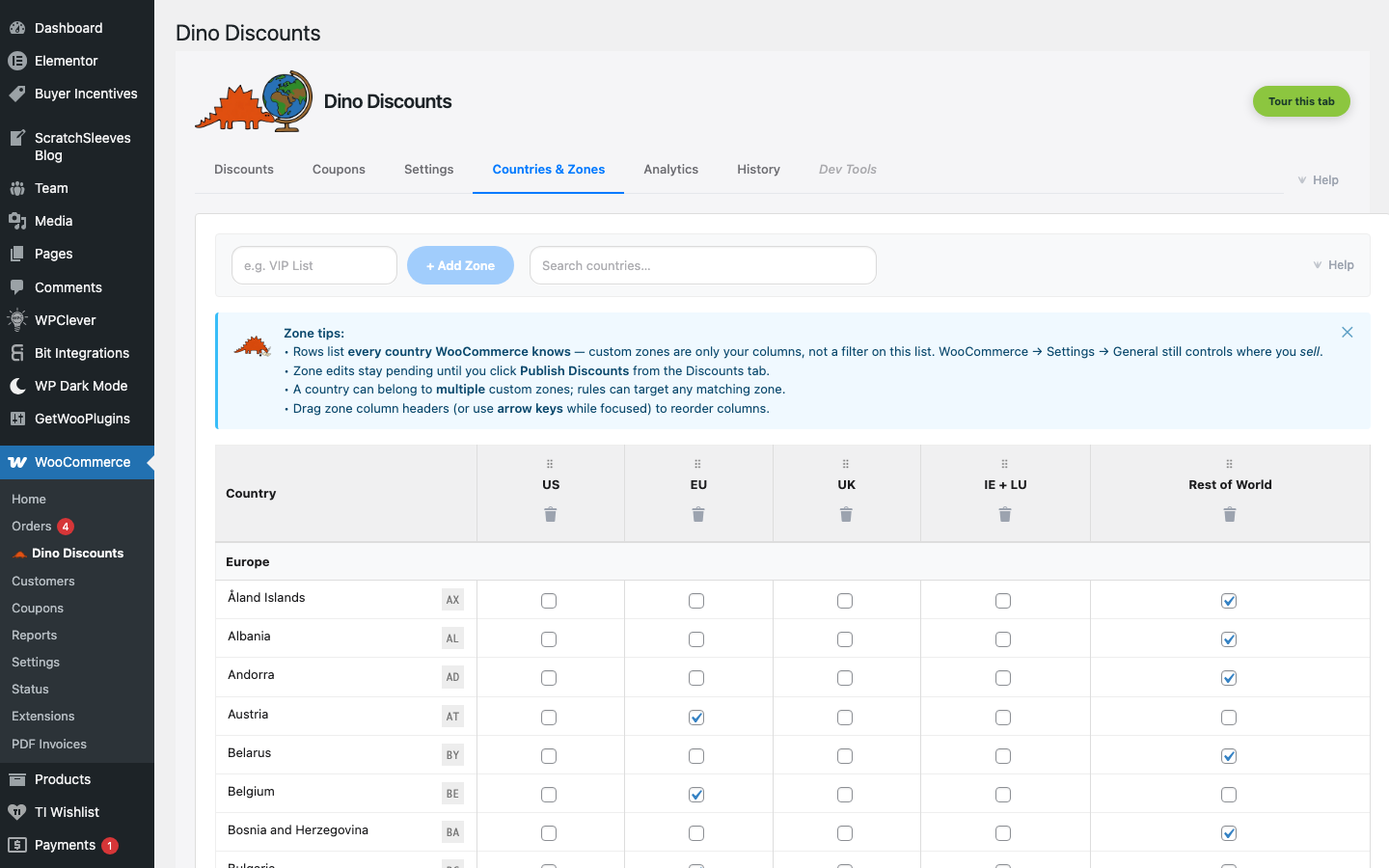
The Countries & Zones tab lets you define geographic regions that can be used in discount targeting. This is essential if you sell internationally and want different discounts for different markets.
What is a zone?
Section titled “What is a zone?”A zone is a named group of countries. Examples:
| Zone name | Countries | |-----------|-----------| | Domestic | United Kingdom | | EU | All EU member states | | North America | United States, Canada | | APAC | Australia, New Zealand, Japan, Singapore |
Creating a zone
Section titled “Creating a zone”- Go to the Countries & Zones tab
- Click Create Zone
- Give it a name (e.g., "EU")
- Select the countries to include
- Save
Zones are published with the same draft/publish workflow as discounts. Create your zones, then publish.
Using zones in targeting
Section titled “Using zones in targeting”Once a zone exists, you can reference it in any discount's Where section:
- Open a discount in the wizard
- Scroll (or click) to the Where section
- Tick Customers in specific zones and pick one or more zones
The discount will only apply to customers whose country falls within the selected zone(s).
By default that is their shipping country, falling back to billing (and then your store's own country) when there is no shipping address — for example on a cart of downloads. That matches the address WooCommerce itself uses to work out taxes and shipping zones, so a shopper who ships to a different country than they bill gets the discounts written for the country the order is going to. You can change which address is used under Settings → Country matching uses — "Billing → Shipping → Store" is still available if you want the reverse.
Common use cases
Section titled “Common use cases”Regional pricing
Section titled “Regional pricing”Create different discounts for different markets. A 10% off tiered discount for the UK and a 15% off version for EU countries, reflecting different price sensitivities.
Market launch offers
Section titled “Market launch offers”When expanding to a new region, create a welcome discount targeted to that zone only. Remove it once you've established your presence.
Currency-aware deals
Section titled “Currency-aware deals”Different zones can have different discount amounts that make sense in the local currency. A "£10 off" deal becomes "€12 off" in the EU zone — you create separate discounts, each targeted to its zone.