
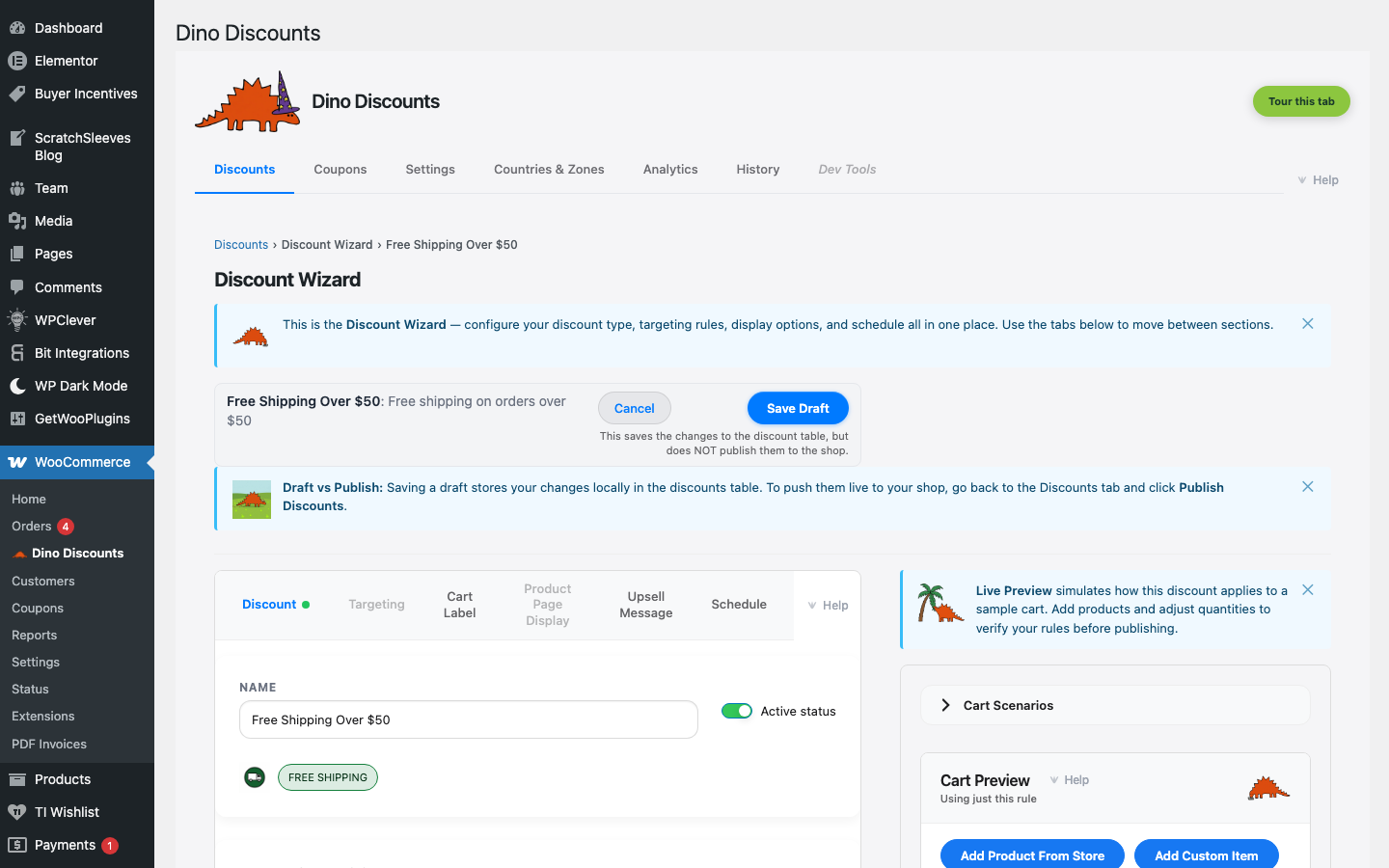
Free Shipping
Automatically applies free shipping when the cart reaches a minimum spend amount.
When to use this
Section titled “When to use this”- “Free shipping over $75” promotions
- Reducing cart abandonment caused by shipping costs
- Competing with marketplace free-shipping expectations
Example
Section titled “Example”Orders over $75 get free shipping automatically.
How to set it up
Section titled “How to set it up”- Click + Create Discount and select Free shipping under Spend & save / tiers
- In What triggers it?, Cart reaches spend, weight, or items threshold is already ticked — enter the minimum spend in Cart subtotal at least (e.g.
75). A coupon code or a Cart contains matching items condition can stand in for the spend threshold - If your store sells in more than one currency, pick the currency under Where does it apply? (a single-currency store fills this in for you)
- Save Draft, preview, then Publish
- The spend-more nudge shows “Add $20 more for free shipping!” as the cart approaches the threshold
- Stack with other discount types — depending on your stacking settings, a customer can get both a percentage discount and free shipping
What’s next?
Section titled “What’s next?”- Volume Discount — try another recipe
- Build Your Own — start from scratch with the full wizard
- Storefront Display — control how discounts appear on your site